MatterMost
URL Format
mattermost://[username@]mattermost-host/token[/channel][?icon=smiley&disabletls=yes]
URL Fields
- UserName - Override webhook user
Default: empty
URL part:mattermost://username@host:port/token/channel - Host - Mattermost server host (Required)
URL part:mattermost://username@host:port/token/channel - Token - Webhook token (Required)
URL part:mattermost://username@host:port/token/channel - Channel - Override webhook channel
Default: empty
URL part:mattermost://username@host:port/token/channel
Query/Param Props
Props can be either supplied using the params argument or through the URL using
?key=value&key=value etc.
-
disabletls Default: ❌
No -
icon - Use emoji or URL as icon (based on presence of http(s):// prefix) Default: empty Aliases:
icon_emoji,icon_url -
title - Notification title, optionally set by the sender Default: empty
Creating a Webhook in MatterMost
-
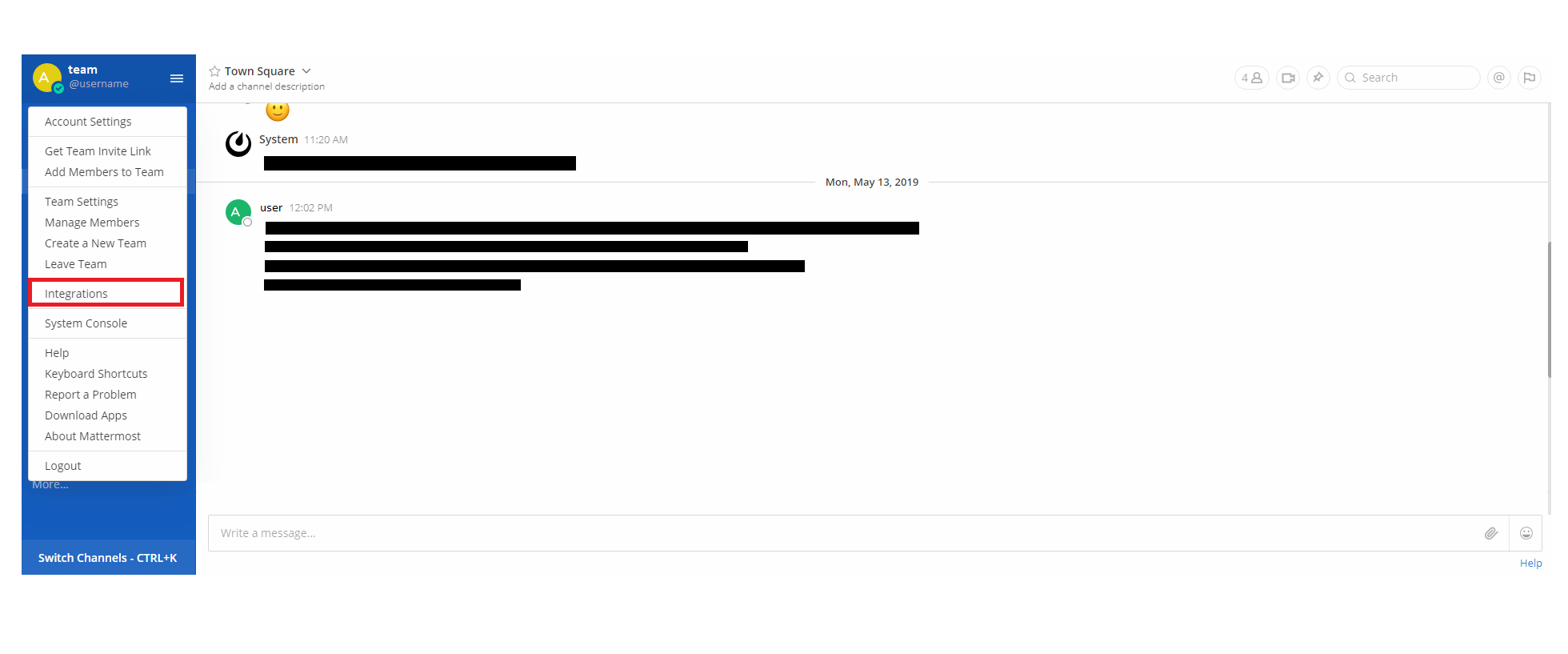
Open up the Integrations page by clicking on Integrations within the menu
-
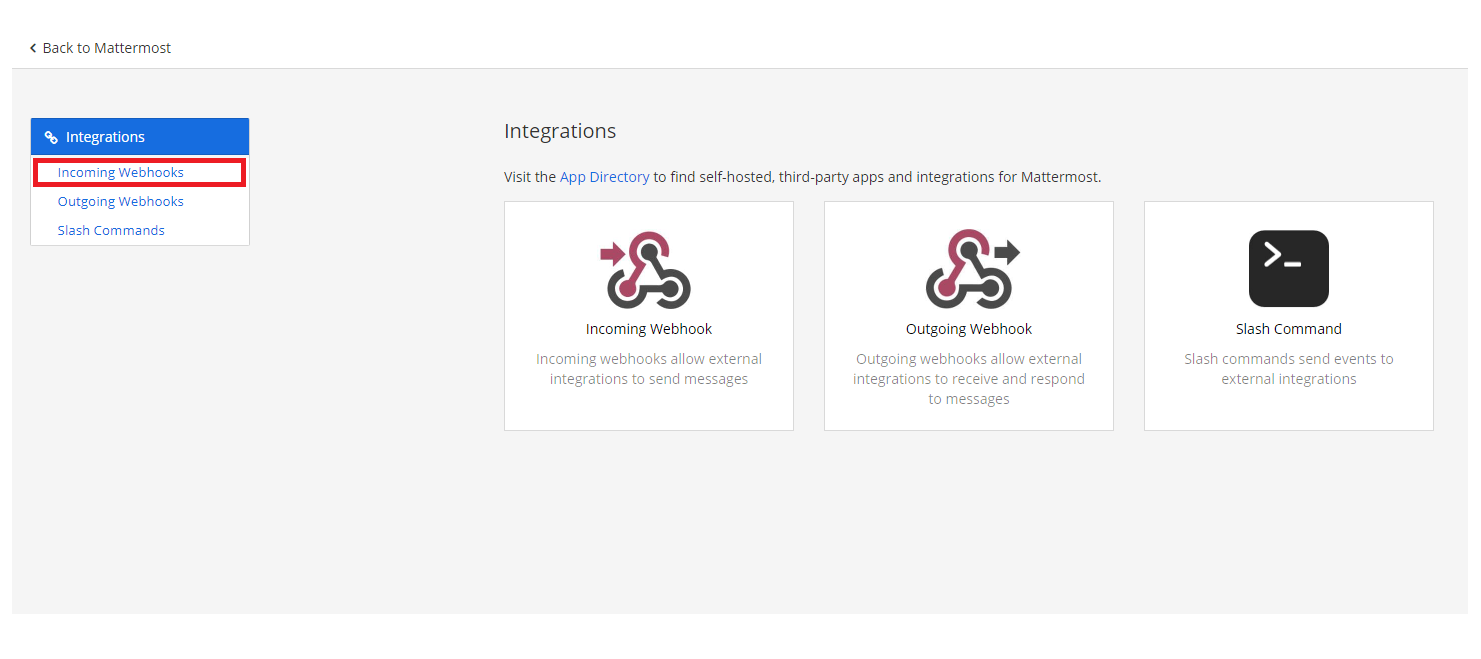
Click Incoming Webhooks
-
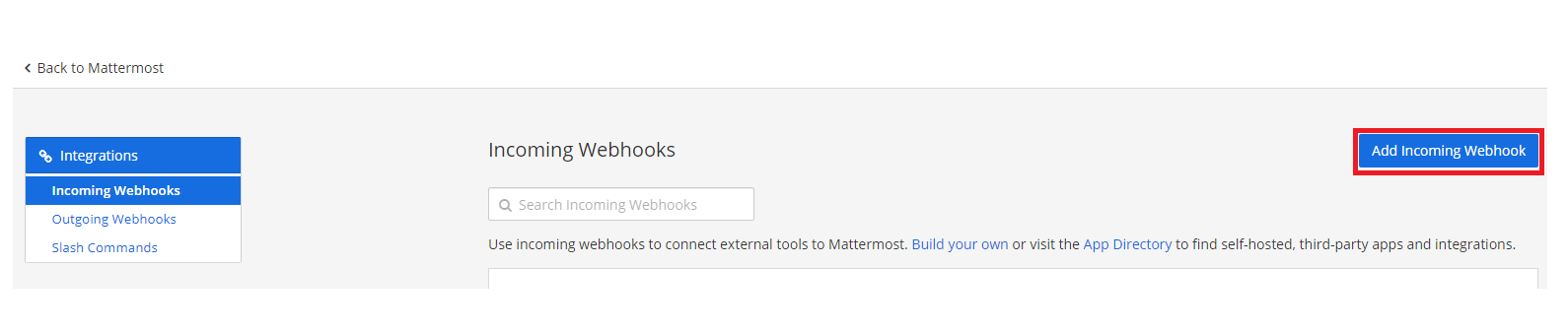
Click Add Incoming Webhook
-
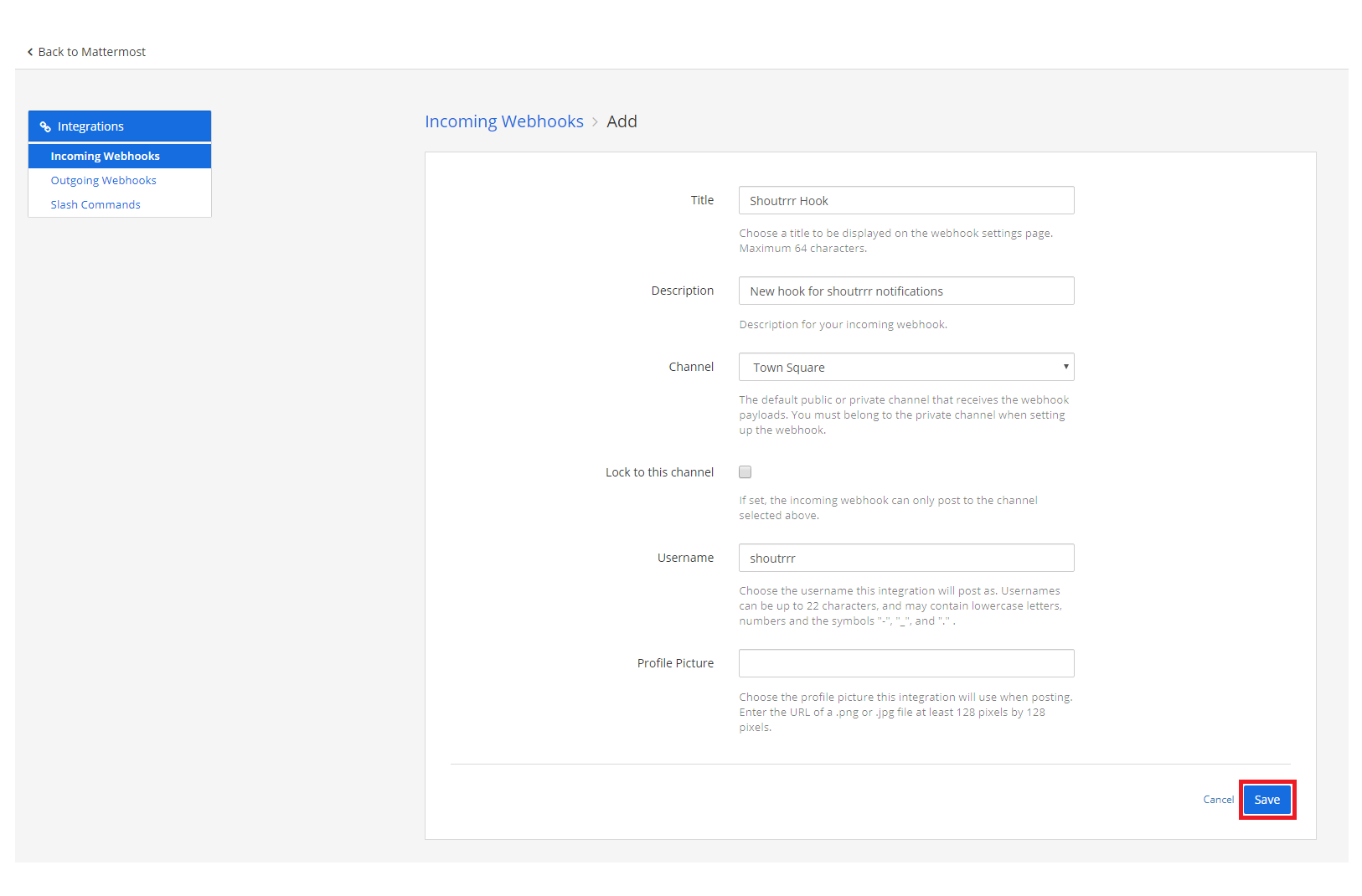
Fill in the information for the webhook and click Save
-
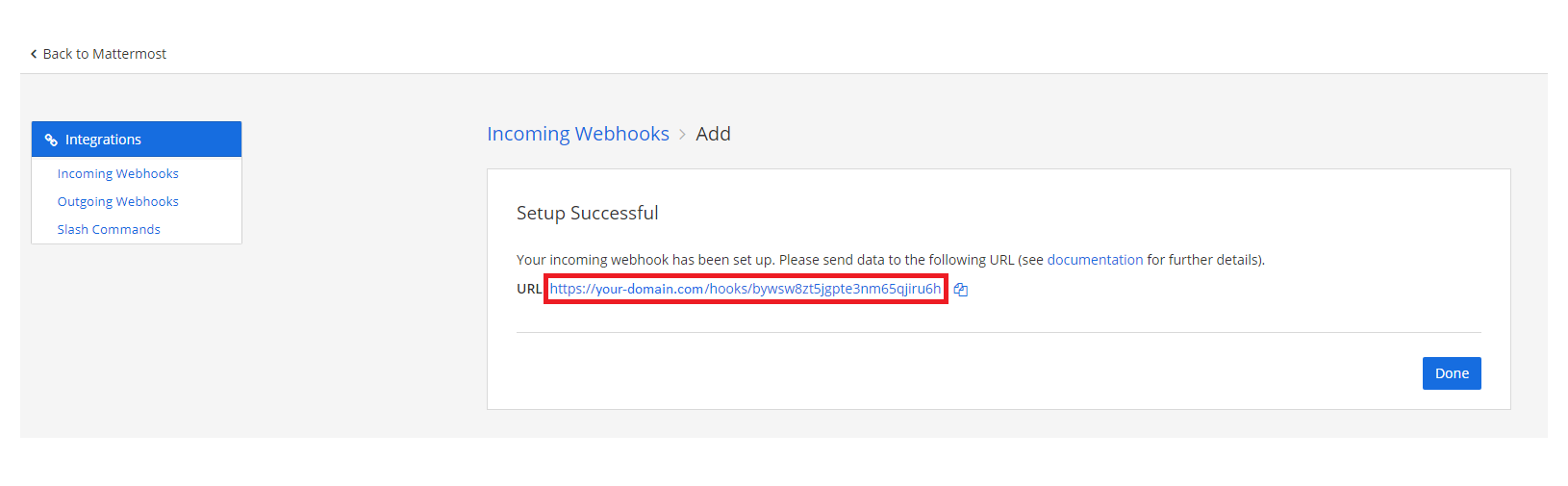
If you did everything correctly, MatterMost will give you the URL to your newly created webhook
-
Format the service URL
https://your-domain.com/hooks/bywsw8zt5jgpte3nm65qjiru6h
                              └────────────────────────┘
                                        token
mattermost://your-domain.com/bywsw8zt5jgpte3nm65qjiru6h
                             └────────────────────────┘
                                       token
Additional URL configuration
Mattermost provides functionality to post as another user or to another channel, compared to the webhook configuration.
To do this, you can add a user and/or channel to the service URL.
mattermost://[email protected]/bywsw8zt5jgpte3nm65qjiru6h/shoutrrrChannel
             └──────────┘                 └────────────────────────┘ └─────────────┘
                 user                               token                channel
The channel can also be @username to send a direct message to that user.
Note
Mattermost ignores the user override unless a system admin enables Enable integrations to override usernames, and ignores the icon unless Enable integrations to override profile picture icons is enabled. See the Mattermost incoming webhook documentation.
Using an Icon
You can customize the notification icon using the icon query parameter. The icon can be either a Mattermost emoji name or an image URL.
Emoji Icon
mattermost://your-domain.com/bywsw8zt5jgpte3nm65qjiru6h?icon=rocket
URL Icon
mattermost://your-domain.com/bywsw8zt5jgpte3nm65qjiru6h?icon=https://example.com/logo.png
Passing parameters via code
You can also pass parameters to the Send function. The following example contains all parameters that are currently supported.
params := &types.Params{
    "username":   "overwriteUserName",
    "channel":    "overwriteChannel",
    "icon":       "overwriteIcon",
    "title":      "overwriteTitle",
    "disabletls": "yes",
}

err := service.Send("this is a message", params)
These override the options passed via the URL for that send only.
The icon_emoji and icon_url params are aliases for icon.
Each one sets an image URL when the value starts with http:// or https://, and an emoji name otherwise.