Rocket.chat
URL Format
rocketchat://[username@]rocketchat-host/token[/channel|@recipient]*
URL Fields
- UserName - Override webhook user
Default: empty
URL part:rocketchat://username@host:port/tokena/tokenb/channel - Host - Rocket.Chat server host (Required)
URL part:rocketchat://username@host:port/tokena/tokenb/channel - Port - Rocket.Chat server port
Default: empty
URL part:rocketchat://username@host:port/tokena/tokenb/channel - TokenA - Webhook integration ID (Required)
URL part:rocketchat://username@host:port/tokena/tokenb/channel - TokenB - Webhook token (Required)
URL part:rocketchat://username@host:port/tokena/tokenb/channel - Channel - Override webhook channel, or @user for a direct message
Default: empty
URL part:rocketchat://username@host:port/tokena/tokenb/channel
Query/Param Props
Props can be either supplied using the params argument or through the URL using
?key=value&key=value etc.
-
disabletls - Send over HTTP instead of HTTPS Default: ❌
no -
skiptlsverify - Skip TLS certificate verification Default: ❌
no
TLS
Rocket.Chat sends over HTTPS by default.
Set disabletls=yes to send over HTTP instead, for a self-hosted server without TLS.
That leaves the connection unencrypted.
Set skiptlsverify=yes when the server's certificate cannot be verified, such as a self-signed one.
The connection stays encrypted, but Shoutrrr does not check which server it talks to.
Both options can also be passed as send params, which apply to that send only.
A custom HTTP client set through SetHTTPClient or the Client field keeps its own TLS settings, so skiptlsverify does not change it.
Shoutrrr logs a warning the first time a send goes out without TLS, and the first time a send skips certificate verification through its own client.
Creating a Webhook in Rocket.chat
-
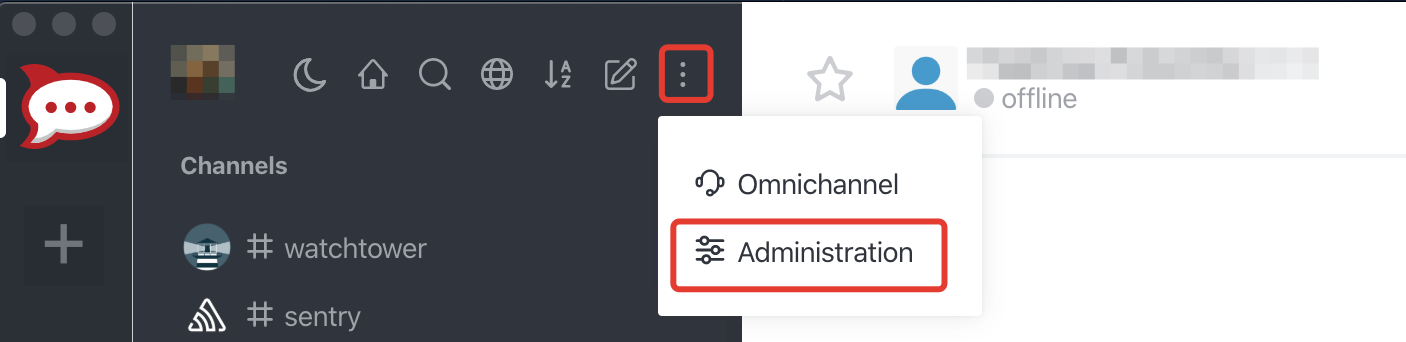
Open up the chat Administration by clicking on Administration menu
-
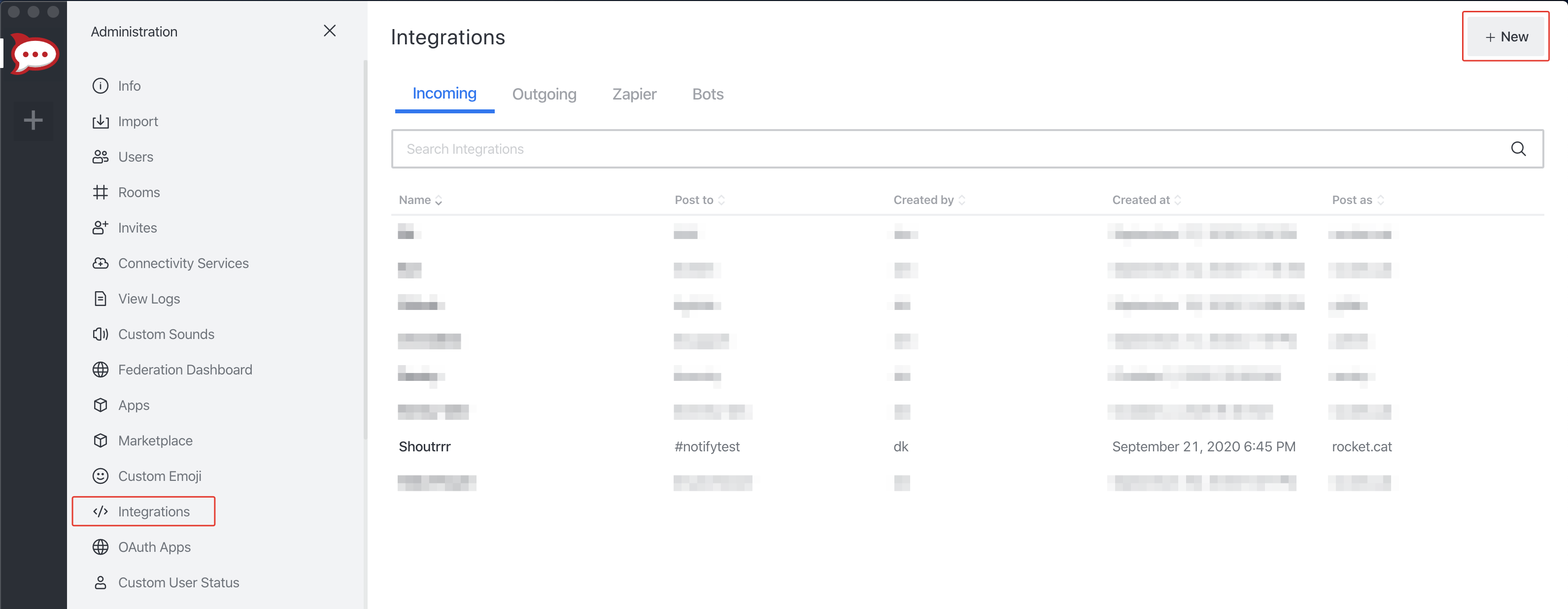
Open Integrations and then click New
-
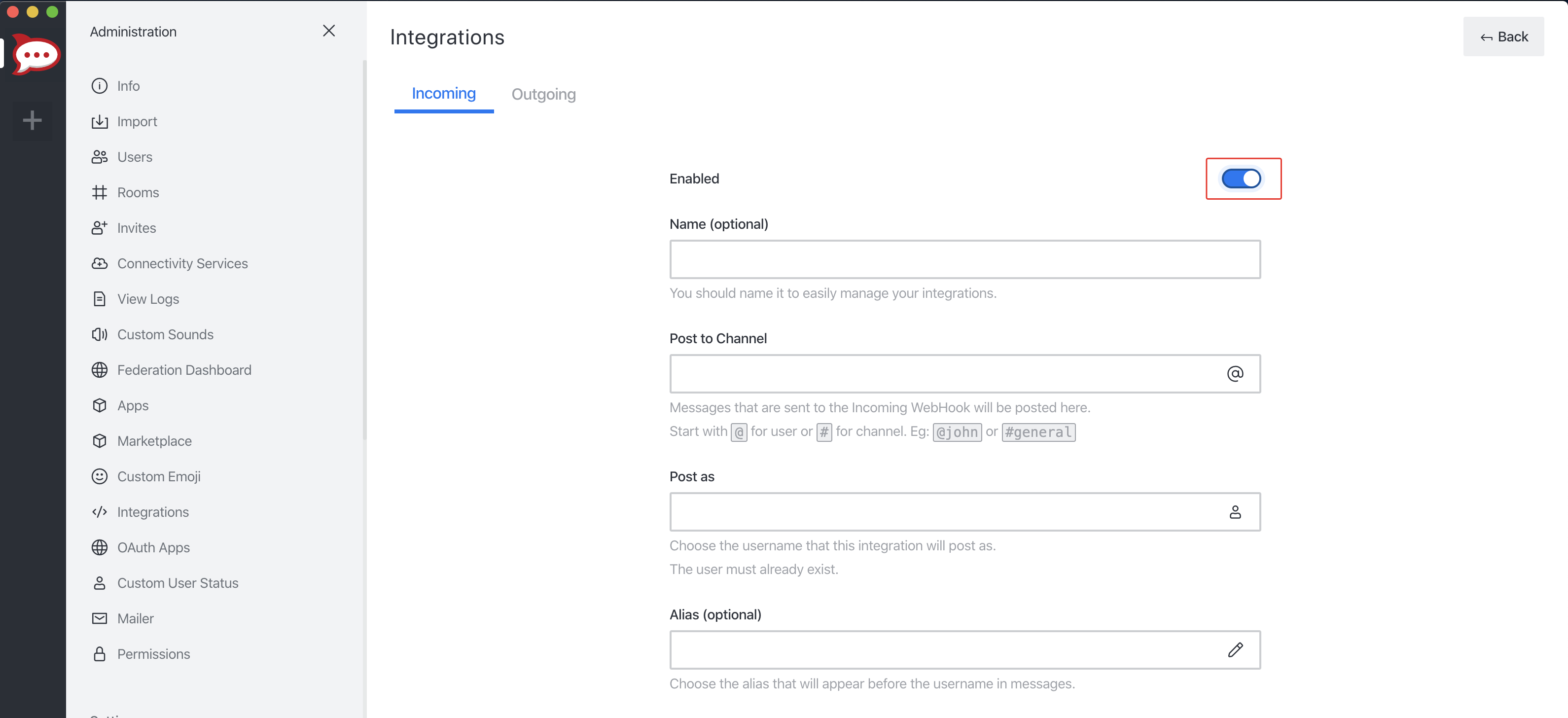
Fill in the information for the webhook and click Save. Please don't forget to Enable your integration.
-
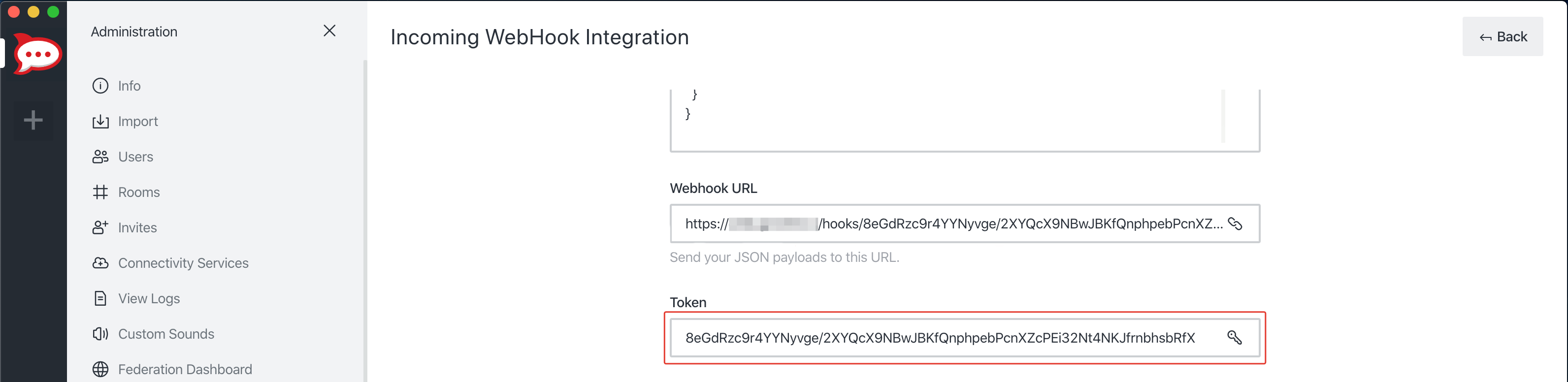
If you did everything correctly, Rocket.chat will give you the URL and Token to your newly created webhook.
-
Format the service URL
rocketchat://your-domain.com/8eGdRzc9r4YYNyvge/2XYQcX9NBwJBKfQnphpebPcnXZcPEi32Nt4NKJfrnbhsbRfX
                             └────────────────────────────────────────────────────────────────┘
                                                           token
Additional URL configuration
Rocket.chat provides functionality to post as another user or to another channel / user, compared to the webhook configuration.
To do this, you can add a sender and/or channel / receiver to the service URL.
rocketchat://[email protected]/8eGdRzc9r4YYNyvge/2XYQcX9NBwJBKfQnphpebPcnXZcPEi32Nt4NKJfrnbhsbRfX/shoutrrrChannel
             └──────────┘                 └────────────────────────────────────────────────────────────────┘ └─────────────┘
                sender                                                   token                                   channel

rocketchat://[email protected]/8eGdRzc9r4YYNyvge/2XYQcX9NBwJBKfQnphpebPcnXZcPEi32Nt4NKJfrnbhsbRfX/@shoutrrrReceiver
             └──────────┘                 └────────────────────────────────────────────────────────────────┘ └───────────────┘
                sender                                                   token                                    receiver
Passing parameters via code
If you want to, you also have the possibility to pass parameters to the send function.
The following example contains all parameters that are currently supported.
params := (*types.Params)(
 &map[string]string{
  "username": "overwriteUserName",
  "channel": "overwriteChannel",
  "disabletls": "no",
  "skiptlsverify": "no",
 },
)

service.Send("this is a message", params)
This will overwrite any options, that you passed via URL.
Any other parameter fails the send, apart from title, message, and level, which every service accepts.
For more Rocket.chat Webhooks options see official guide.