Pushover
URL Format
pushover://shoutrrr:apiToken@userKey/?devices=device1[,device2, ...]
URL Fields
- Token - API Token/Key (Required)
URL part:pushover://:token@user/ - User - User Key (Required)
URL part:pushover://:token@user/
Query/Param Props
Props can be either supplied using the params argument or through the URL using
?key=value&key=value etc.
-
devices Default: empty
-
encryptionkey - 256-bit AES key as 64 hex characters for end-to-end encryption Default: empty Aliases:
key -
priority Default:
0 -
title Default: empty
Getting the keys from Pushover
At your Pushover dashboard you can view your userKey in the top right.
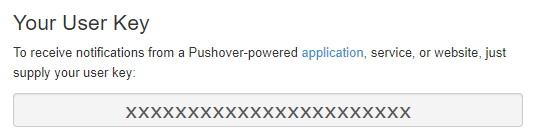
The Name column of the device list is what is used to refer to your devices (device1 etc.)

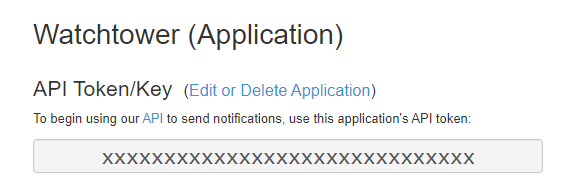
At the bottom of the same page there are links your applications, where you can find your apiToken

The apiToken is displayed at the top of the application page.
Optional parameters
You can optionally specify the title and priority parameters in the URL:
pushover://shoutrrr:__token@userKey/?devices=device__&title=Custom+Title&priority=1
Note
Only supply priority values between -1 and 1, since 2 requires additional parameters that are not supported yet.
End-to-end encryption
Pushover end-to-end encryption encrypts message and title on the client before they are sent.
Generate a 256-bit key and configure the same value in the Pushover iOS or Android app:
openssl rand -hex 32
Then include it in the service URL:
_pushover://shoutrrr:token@userKey/?encryptionkey=__64-char-hex___
key is accepted as an alias for encryptionkey.
A valid key enables encryption automatically.
An invalid key fails during URL verification, and encryption errors refuse to send rather than falling back to plaintext.
Encrypted fields are larger than the original text and still count toward Pushover's 1024-character field limit. Desktop clients cannot decrypt end-to-end encrypted messages.
Please refer to the Pushover API documentation for more information.